Hello Podcasts1.0.2
Publisher Description

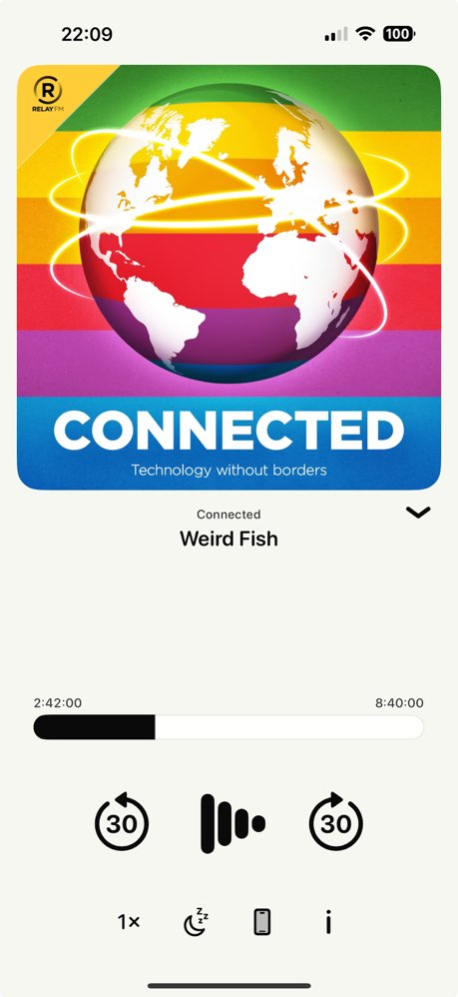


Listen to your favourite podcasts in your new favourite podcast player. Hello Podcasts focuses only on the podcasts you want to listen to, and nothing else.
INTUITIVE INTERFACE:
Navigate effortlessly with a clean and simple single page design.
OFFLINE LISTENING:
Episodes in your queue are automatically downloaded for offline access so you can enjoy your podcasts anytime, anywhere-perfect for commutes or travels!
PLAYBACK CONTROLS:
Control your listening experience with adjustable playback speed, sleep timers, shapter selection and more.
LIVE:
Listen in to live podcast recordings from RelayFM and ATP.
THE LITTLE THINGS:
Episode complete chimes, smart forward skip, unlockable podcast-themed app icons there's many details to explore in Hello Podcasts!
CUSTOMIZATION:
Make Hello Podcasts your own with tons of themes and alternate app icons.
Privacy Policy & Terms and Conditions: https://adrianensan.me/apps/hello-podcasts
Version History - Timestamps in episode descriptions are now clickable
- Fix incorrect audio for a few podcasts with more than one episode downloaded
- Design updates and bug fixes 1.0.2 01/13/2025 - Add long press actions to podcasts in library
- Add "Remove from Library" option to podcast options sheet
- Podcast info is now collapsed by default, so episodes are now visible without needing to scroll in podcast sheet.
- Fix queue reordering
- Improved storage management 1.0.1 10/16/2024 1.0 10/08/2024
About Hello Podcasts
The company that develops Hello Podcasts is Adrian Ensan. The latest version released by its developer is 1.0.2.
To install Hello Podcasts on your iOS device, just click the green Continue To App button above to start the installation process. The app is listed on our website since 2026-10-06 and was downloaded 0 times. We have already checked if the download link is safe, however for your own protection we recommend that you scan the downloaded app with your antivirus. Your antivirus may detect the Hello Podcasts as malware if the download link is broken.
How to install Hello Podcasts on your iOS device:
- Click on the Continue To App button on our website. This will redirect you to the App Store.
- Once the Hello Podcasts is shown in the iTunes listing of your iOS device, you can start its download and installation. Tap on the GET button to the right of the app to start downloading it.
- If you are not logged-in the iOS appstore app, you'll be prompted for your your Apple ID and/or password.
- After Hello Podcasts is downloaded, you'll see an INSTALL button to the right. Tap on it to start the actual installation of the iOS app.
- Once installation is finished you can tap on the OPEN button to start it. Its icon will also be added to your device home screen.
Program Details
System requirements
Download information
Pricing
Version History
version 1.0.2
posted on 2026-10-06
Version History - Timestamps in episode descriptions are now clickable
- Fix incorrect audio for a few podcasts with more than one episode downloaded
- Design updates and bug fixes 1.0.2 01/13/2025 - Add long press actions to podcasts in library
- Add "Remove from Library" option to podcast options sheet
- Podcast info is now collapsed by default, so episodes are now visible without needing to scroll in podcast sheet.
- Fix queue reordering
- Improved storage management 1.0.1 10/16/2024 1.0 10/08/2024
version 1.0.2
posted on 2025-01-13
- Timestamps in episode descriptions are now clickable
- Fix incorrect audio for a few podcasts with more than one episode downloaded
- Design updates and bug fixes
